
At its core, Multi-Factor Authentication (MFA) adds an extra layer of security to the login process. Instead of relying on just a password, MFA requires users to verify their identity using two or more independent factors. Think of it like locking your house with both a deadbolt and an alarm system. Even if one defense fails, the other stands in the way.
Organizations such as Infinity Technology Consulting regularly emphasize MFA as a foundational cybersecurity control because it dramatically reduces the risk of unauthorized access. But what exactly is MFA, how does it work, and why does it matter so much today? Let’s break it down.
Understanding Authentication in the Digital World
Before diving deeper into Multi-Factor Authentication, it helps to understand what authentication actually means.
Authentication is the process of verifying that someone is who they claim to be. When you log into an email account, cloud application, or internal business system, authentication determines whether access should be granted.
This is different from authorization, which defines what a user is allowed to do after logging in. Authentication answers “Who are you?” Authorization answers “What can you access?”
For decades, authentication relied almost entirely on passwords. Unfortunately, passwords are no longer a reliable gatekeeper.
What Is Multi-Factor Authentication (MFA)?
Multi-Factor Authentication (MFA) is a security mechanism that requires users to present two or more verification factors to gain access to a system, application, or account.
Instead of a single piece of evidence, MFA combines multiple independent credentials. These credentials fall into different categories, which makes it far more difficult for attackers to compromise accounts—even if one factor is stolen.
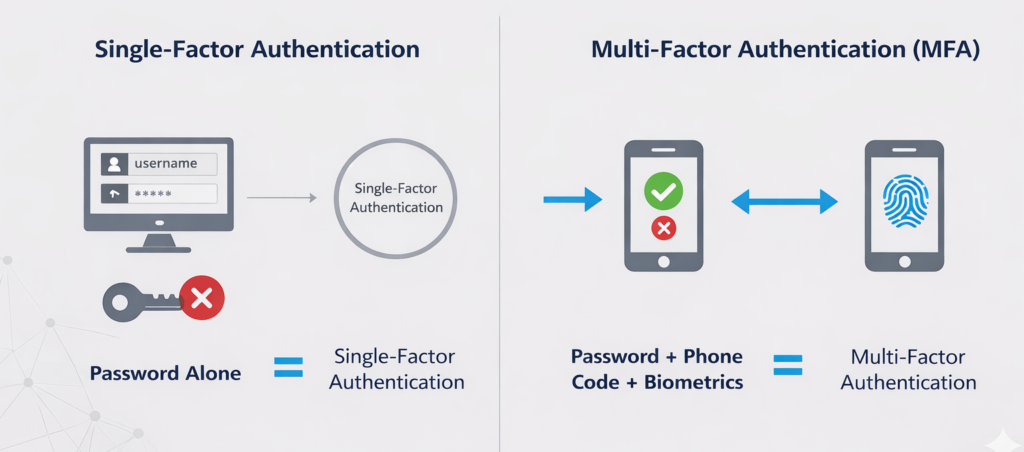
In simple terms:
- Password alone = single-factor authentication
- Password + phone code = Multi-Factor Authentication
This layered approach significantly strengthens identity protection.
The Three Core Authentication Factors
Multi-Factor Authentication is built on three primary factor categories. True MFA uses factors from different categories, not multiple items from the same one.
1. Something You Know
This is the most familiar factor. It includes:
- Passwords
- PINs
- Security questions
The problem is that these are easily guessed, stolen, reused, or phished.
2. Something You Have
This factor relies on physical or digital possession, such as:
- Mobile phones
- Hardware security keys
- Smart cards
- Authenticator apps
Even if an attacker steals your password, they still need access to this second factor.
3. Something You Are
This factor is biometric and tied directly to the user:
- Fingerprints
- Facial recognition
- Retina scans
- Voice recognition
Biometrics are difficult to replicate and add a strong identity assurance layer.
How Multi-Factor Authentication Works in Practice
Let’s walk through a common MFA scenario.
- A user enters their username and password.
- The system verifies the credentials.
- A second verification prompt appears.
- The user confirms their identity using a phone notification, one-time code, or biometric scan.
- Access is granted only after successful verification.
Each step reduces risk. Even if credentials are compromised, MFA blocks unauthorized access because the attacker lacks the second factor.
This is why Multi-Factor Authentication is considered one of the most effective cybersecurity controls available today.
How One-Time Passwords (OTP) Work
One of the most common Multi-Factor Authentication methods is the one-time password, often called an OTP.
An OTP is a short numeric code, usually between four and eight digits, that is valid for a single login session or a very short period of time. Unlike static passwords, OTPs constantly change, which makes them far more difficult for attackers to reuse.
There are two primary ways OTPs are generated:
Time-Based One-Time Passwords (TOTP)
Time-based OTPs are generated using a shared secret, known as a seed value, combined with the current time. Every 30 to 60 seconds, a new code is created.
Because the code expires quickly, even a stolen OTP becomes useless after a short window.
Counter-Based One-Time Passwords (HOTP)
Counter-based OTPs generate a new code each time a login attempt is made. The system and the authentication device both track the same counter value.
Once the code is used, it cannot be reused, which prevents replay attacks.
Both TOTP and HOTP significantly reduce the effectiveness of phishing and credential theft.
Why Passwords Alone Are No Longer Enough
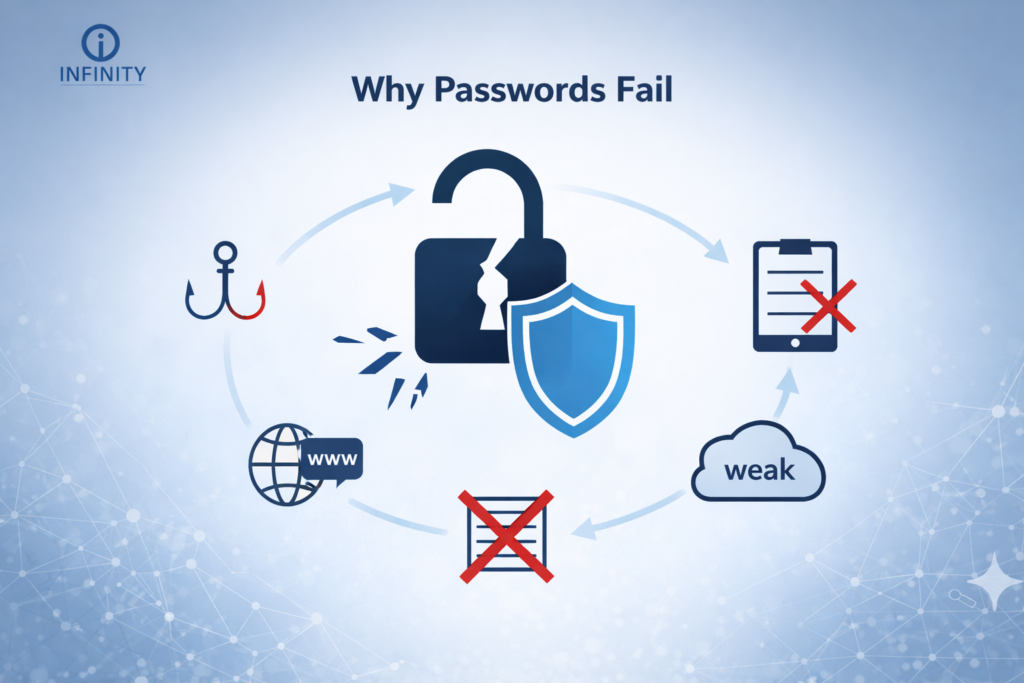
Passwords were never designed to handle modern cyber threats. Today’s attackers use automated tools, credential-stuffing attacks, phishing campaigns, and malware to harvest login information at scale.
Common password weaknesses include:
- Reused passwords across multiple platforms
- Weak or predictable combinations
- Data breaches exposing millions of credentials
- Phishing emails that trick users into revealing login details
Once a password is compromised, attackers can move quickly. MFA stops this chain reaction by requiring additional proof of identity.
Common Types of Multi-Factor Authentication
Not all MFA methods are the same. Some are stronger than others, depending on how they’re implemented.
SMS One-Time Passcodes
These are text messages sent to a user’s phone. While better than passwords alone, SMS-based MFA can be vulnerable to SIM-swapping attacks.
Authenticator Applications
Apps like Google Authenticator or Microsoft Authenticator generate time-based codes that change every 30 seconds. These are significantly more secure than SMS.
Push Notifications
Users receive a prompt on their mobile device asking them to approve or deny a login attempt. This method improves usability while maintaining security.
Hardware Security Keys
Physical devices that must be plugged in or tapped during login. These offer strong protection against phishing attacks.
Biometric Authentication
Fingerprint scans or facial recognition add a frictionless yet secure factor, especially on modern devices.
Location-Based Multi-Factor Authentication
Location-based MFA adds another layer of identity verification by evaluating where a login attempt originates.
This method typically relies on IP address analysis and geographic location data. If a login attempt comes from an unfamiliar or restricted location, access can be blocked or additional authentication factors can be required.
Common use cases include:
Restricting access to specific countries or regions
Requiring additional verification for logins outside approved locations
Blocking access from high-risk IP addresses
Location-based MFA is especially useful for organizations with remote employees or global operations.
Adaptive Authentication and Risk-Based MFA
Adaptive authentication, also known as risk-based MFA, evaluates the context of each login attempt instead of applying the same authentication requirements every time.
The system analyzes multiple signals, including:
Login location
Time of access
Device history
Network type, such as public or private
User behavior patterns
Each login attempt is assigned a risk level. Based on that risk, the system determines whether additional authentication is required or if access should be denied entirely.
For example, a user logging in from their usual office location during normal business hours may only need a password. The same user logging in late at night from an unfamiliar device on a public network may be prompted for an additional verification factor.
This approach improves security while reducing unnecessary login friction.
MFA and Cybersecurity Threat Prevention
Multi-Factor Authentication plays a critical role in preventing many common cyber attacks.
Phishing Attacks
Even if users fall for phishing emails, MFA prevents attackers from logging in without the second factor.
Account Takeover
MFA drastically reduces unauthorized account access, protecting email, cloud platforms, and financial systems.
Ransomware
Many ransomware incidents begin with stolen credentials. MFA blocks initial access points, reducing lateral movement.
Remote Workforce Risks
With remote work becoming standard, MFA secures cloud services, VPNs, and remote access tools.
Cybersecurity professionals at Infinity Technology Consulting consistently point to MFA as a baseline requirement for modern identity protection.
Industries Where Multi-Factor Authentication Is Critical
While MFA benefits every organization, some industries depend on it more heavily.
Healthcare
Protects electronic health records and patient data from breaches.
Financial Services
Secures online banking, payment systems, and financial transactions.
Education
Safeguards student records and institutional systems.
Government
Protects sensitive data, citizen information, and critical infrastructure.
Small and Medium Businesses
SMBs are frequent attack targets due to weaker security controls. MFA provides enterprise-level protection without complexity.
MFA and Compliance Requirements
Many regulatory frameworks either recommend or require Multi-Factor Authentication.
Examples include:
- HIPAA security safeguards
- PCI DSS payment security standards
- NIST cybersecurity framework
- ISO 27001 access controls
MFA helps organizations meet compliance obligations by reducing identity-based risks and strengthening access management.
Why MFA Is Critical in Cloud Computing Environments
Cloud computing has changed how organizations access systems and data.
Users no longer need to be on a corporate network to log in. Applications, email, and data can be accessed from anywhere, at any time, on almost any device.
This flexibility increases productivity, but it also increases risk.
Multi-Factor Authentication helps secure cloud environments by ensuring that users are who they claim to be, even when access occurs outside traditional network boundaries. MFA protects cloud applications, software-as-a-service platforms, and remote access tools from unauthorized entry.
Without MFA, cloud accounts become prime targets for attackers using stolen credentials.
MFA for Cloud Platforms, VPNs, and SaaS Applications
Multi-Factor Authentication is commonly used to protect access to cloud platforms, virtual private networks, and software-as-a-service applications.
Common use cases include:
Securing email platforms such as Microsoft 365
Protecting VPN access for remote workers
Restricting administrative access to cloud infrastructure
Adding identity verification to SaaS applications
Many cloud platforms offer basic MFA options, but third-party identity and access management solutions often provide greater flexibility, stronger authentication factors, and better visibility.
Implementing MFA consistently across cloud services helps reduce identity-based attacks and improves overall security posture.
Balancing Security and User Experience
One concern often raised about MFA is usability. Users worry about inconvenience or added login steps.
Modern MFA solutions address this by:
- Using biometric verification
- Leveraging trusted devices
- Applying adaptive authentication based on risk
When implemented correctly, MFA adds minimal friction while delivering substantial security benefits.
Challenges and Limitations of MFA
While powerful, Multi-Factor Authentication is not flawless.
Common challenges include:
- User fatigue from excessive prompts
- Poor implementation that weakens security
- Overreliance on SMS-based MFA
- Lack of user education
These challenges highlight the importance of thoughtful MFA deployment rather than a one-size-fits-all approach.
What’s the Difference Between MFA and Two-Factor Authentication (2FA)?
Multi-Factor Authentication and Two-Factor Authentication are closely related, but they are not the same.
Two-Factor Authentication requires exactly two authentication factors from different categories. Multi-Factor Authentication refers to any authentication process that uses two or more factors.
In other words, 2FA is a subset of MFA. All 2FA is MFA, but not all MFA is limited to two factors.
This distinction becomes important as organizations adopt more advanced identity security models.
The Future of Multi-Factor Authentication
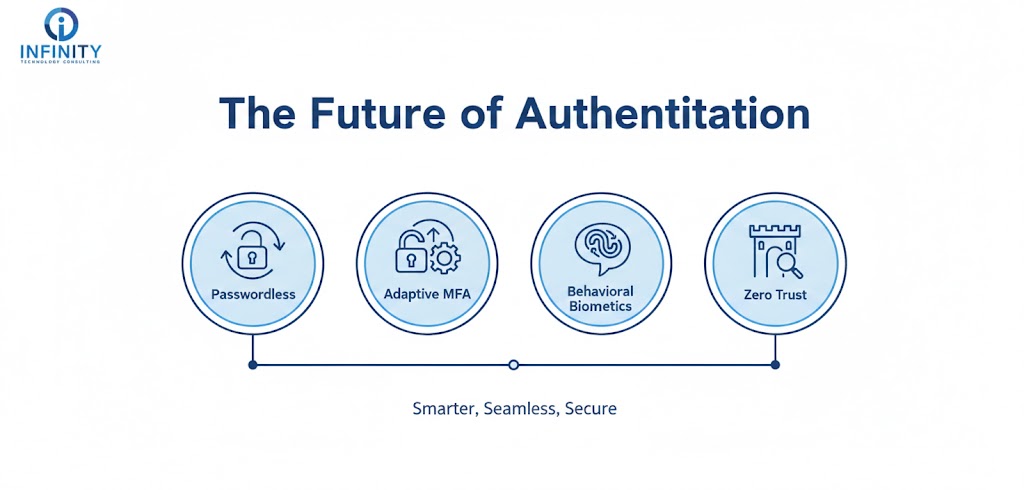
Authentication is evolving beyond passwords entirely.
Emerging trends include:
- Passwordless authentication
- Risk-based adaptive MFA
- Behavioral biometrics
- Zero trust identity models
MFA is becoming smarter, more seamless, and more integrated into everyday workflows—without sacrificing security.
Conclusion
Multi-Factor Authentication is no longer optional in today’s threat landscape. It addresses the fundamental weaknesses of passwords and provides a proven defense against unauthorized access.
By combining multiple identity factors, MFA significantly reduces the likelihood of data breaches, account compromise, and cyber incidents. Organizations that prioritize identity security—like those advised by Infinity Technology Consulting—recognize MFA as a cornerstone of modern cybersecurity strategy.
As digital environments continue to expand, Multi-Factor Authentication remains one of the most effective ways to protect users, systems, and sensitive information.
Frequently Asked Questions
- Is Multi-Factor Authentication the same as two-factor authentication?
Two-factor authentication (2FA) is a subset of Multi-Factor Authentication. MFA can include two or more authentication factors. - Can MFA be hacked?
No system is completely immune, but MFA significantly reduces risk. Attacks become far more complex and less likely to succeed. - Does MFA slow down login processes?
Modern MFA solutions are designed to be fast and user-friendly, often adding only seconds to login time. - Is biometric authentication safer than passwords?
Biometrics are generally more secure because they are unique to individuals and difficult to replicate. - Should small businesses use Multi-Factor Authentication?
Yes. Small businesses are frequent targets, and MFA provides strong protection without requiring large security budgets.